Treatment planning control & efficiency

New or enhanced clinical products

Visualization tools

Patient experience & conversion
Treatment planning control & efficiency.
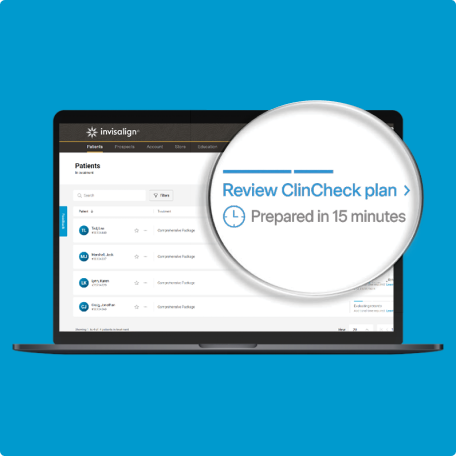
ClinCheck® Live Plan.
The latest evolution of the ClinCheck signature experience is here, and ClinCheck Live Plan is unlocking new levels of efficiency for your practice with eligible initial treatment plans delivered in as little as 15 minutes.1

Q1 ClinCheck software update bundle.
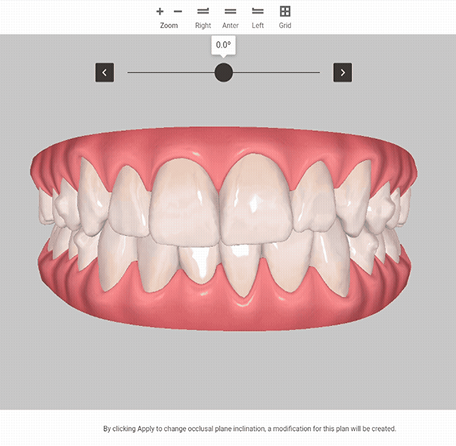
Top updates based on doctor feedback and new product advancements include:
Occlusal plane inclination - Yaw axis view
Space analysis table
Removed attachments display updates
And more
Patient list updates in the Invisalign® Doctor Site (IDS).
The patient list page got an upgrade to help you sort, search, and start treatments faster.
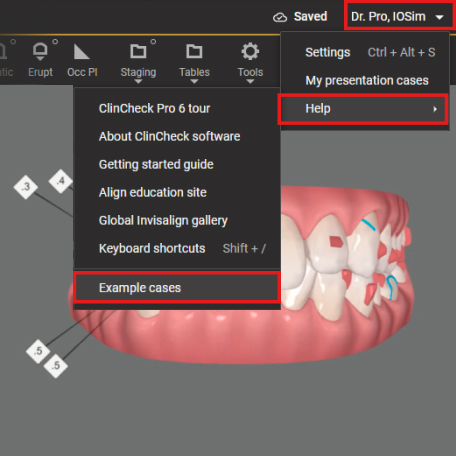
Example cases with step-by-step instructions.
Did you know that the Invisalign Doctor Site has a library of example cases? Now several of these cases have companion step-by-step instructional courses to guide you through the use of these treatment planning tools.
Explore basic or complex crowding, deep bite, and even Invisalign Smile Architect™ restorative cases with helpful prompts.
Bonus content

Q1 back-to-basics: Flex Rx with case-specific preferences.
Each quarter we’ll feature a time-saving update driven by doctor feedback.
For Q1 2026, it’s revisiting the power of case-specific preferences to override default ClinCheck preferences.
Watch this 90-second video to learn more about how you can view your preferences and set up case-specific preferences for when you need additional control.

Invisalign First™ treatment and Additional Aligners (AA) preferences coming to your custom Invisalign Personalized Plan via Flex Rx.
Update your Invisalign First and AA preferences for a faster ClinCheck turnaround, greater predictability, and a smoother experience for your patients.
Complete the survey to get started.
Q1 back-to-basics: Flex Rx with case-specific preferences.
Each quarter we’ll feature a time-saving update driven by doctor feedback.
For Q1 2026, it’s revisiting the power of case-specific preferences to override default ClinCheck preferences.
Watch this 90-second video to learn more about how you can view your preferences and set up case-specific preferences for when you need additional control.
Invisalign First™ treatment and Additional Aligners (AA) preferences coming to your custom Invisalign Personalized Plan via Flex Rx.
Update your Invisalign First and AA preferences for a faster ClinCheck turnaround, greater predictability, and a smoother experience for your patients.
Complete the survey to get started.
New or enhanced clinical products.
Invisalign Palatal Expander (IPE) engagement feature (hooks):
This enables elastic engagement directly on the Invisalign Palatal Expander System, expanding versatility for Class II and Class III treatment planning while maintaining streamlined workflows.
Prescribe hooks directly within the IPE Rx form
Select required orientation to support intended mechanics
Available on primary and eligible secondary orders

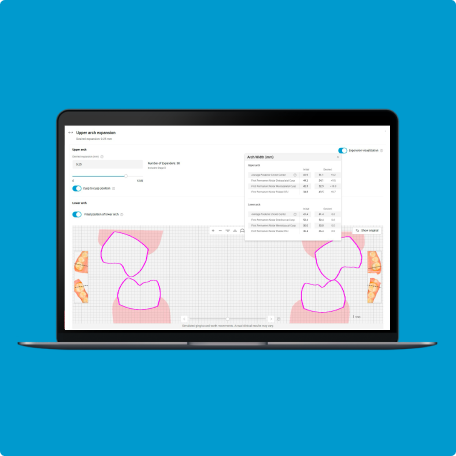
IPE 2D cross-section view:
This new feature brings intuitive, visual planning directly into the prescription workflow to support an efficient prescribing experience.
View a 2D cross-section of the first molars directly within the Rx form
Adjust expansion using a simple slider
Visualize lower arch position in real time
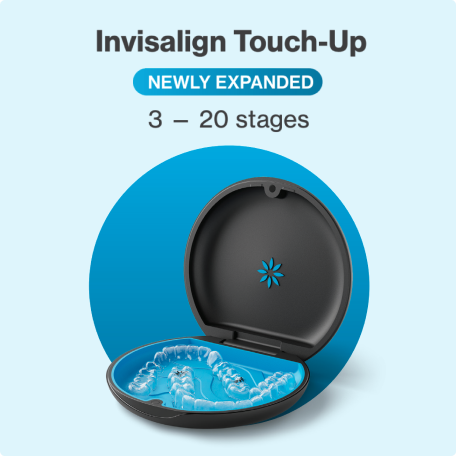
Invisalign Touch-Up – now with more stages.
Now available with up to 20 stages, Invisalign Touch-Up unlocks options for you to treat a wider variety of patient cases, from mild to moderate malocclusion.
Visualization tools.
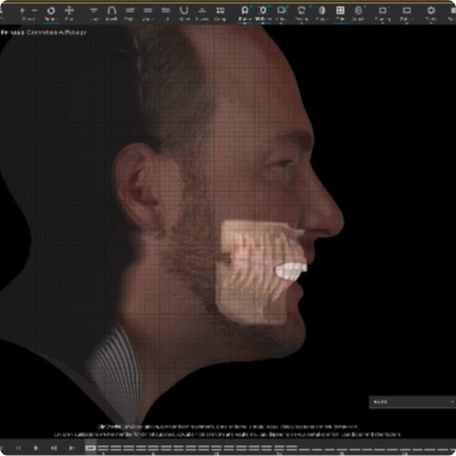
3D face scan for Invisalign treatment.
Capturing and visualizing a 3D model of your patient’s face provides you with a precise view of facial symmetry and proportions, helping identify anatomical factors that may impact treatment planning. Support accurate diagnoses and create highly personalized orthodontic plans with advanced facial visualization.
Visualization benfits:
Clinical clarity: Powerful visuals support more informed planning decisions.
Workflow alignment: Visualizations reflect your clinical preferences.
Patient experience & conversion.
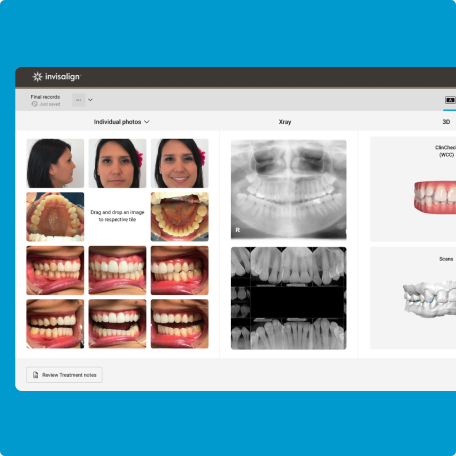
Patient records viewer.
You can now see one consolidated view of a patient’s treatment records to help monitor treatment progress. New functionality includes:
Auto-population of records from orders (currently excludes CBCT, IPE, and Vivera™ retainer scans)
Add progress records as desired
Compare mode to view treatment progress – from the same or different milestones
Download images for offline use or easy sharing
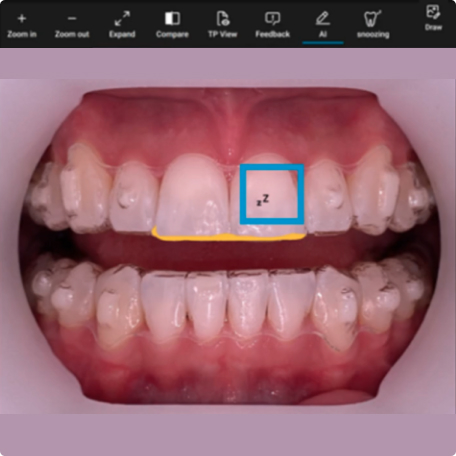
Invisalign Virtual Care AI-enabled missing attachment and button detection2.
A new AI-guided feature in Invisalign Virtual Care supports treatment tracking by enabling automated detection and patient notifications for missing attachments and buttons.
Go to Settings > Automatic Assessments under the 'Virtual Care' tab within the Invisalign Doctor Site to enable this feature.
Hear from our Innovators Behind the Smile.3
Find out how your peers are enhancing the patient and practice experience with Align innovations.3

Dr. Manal Ibrahim
“Getting a ClinCheck plan back in 15 minutes is amazing – it completely transforms how I consult and collaborate with my patients.”

Dr. Christian Johnson
“In this day and age, innovation is a constant. We’re always looking for how we can be better, how can we be more efficient, and how can we deliver better results.”

Dr. Rebekah Anderson
“I don’t take my computer home anymore — real-time treatment planning lets me truly protect my work-life balance.”
Dr. Manal Ibrahim
“Getting a ClinCheck plan back in 15 minutes is amazing – it completely transforms how I consult and collaborate with my patients.”
Dr. Christian Johnson
“In this day and age, innovation is a constant. We’re always looking for how we can be better, how can we be more efficient, and how can we deliver better results.”
Dr. Rebekah Anderson
“I don’t take my computer home anymore — real-time treatment planning lets me truly protect my work-life balance.”